

MCP Server Setup in Hermes: The Key Everyone Misses

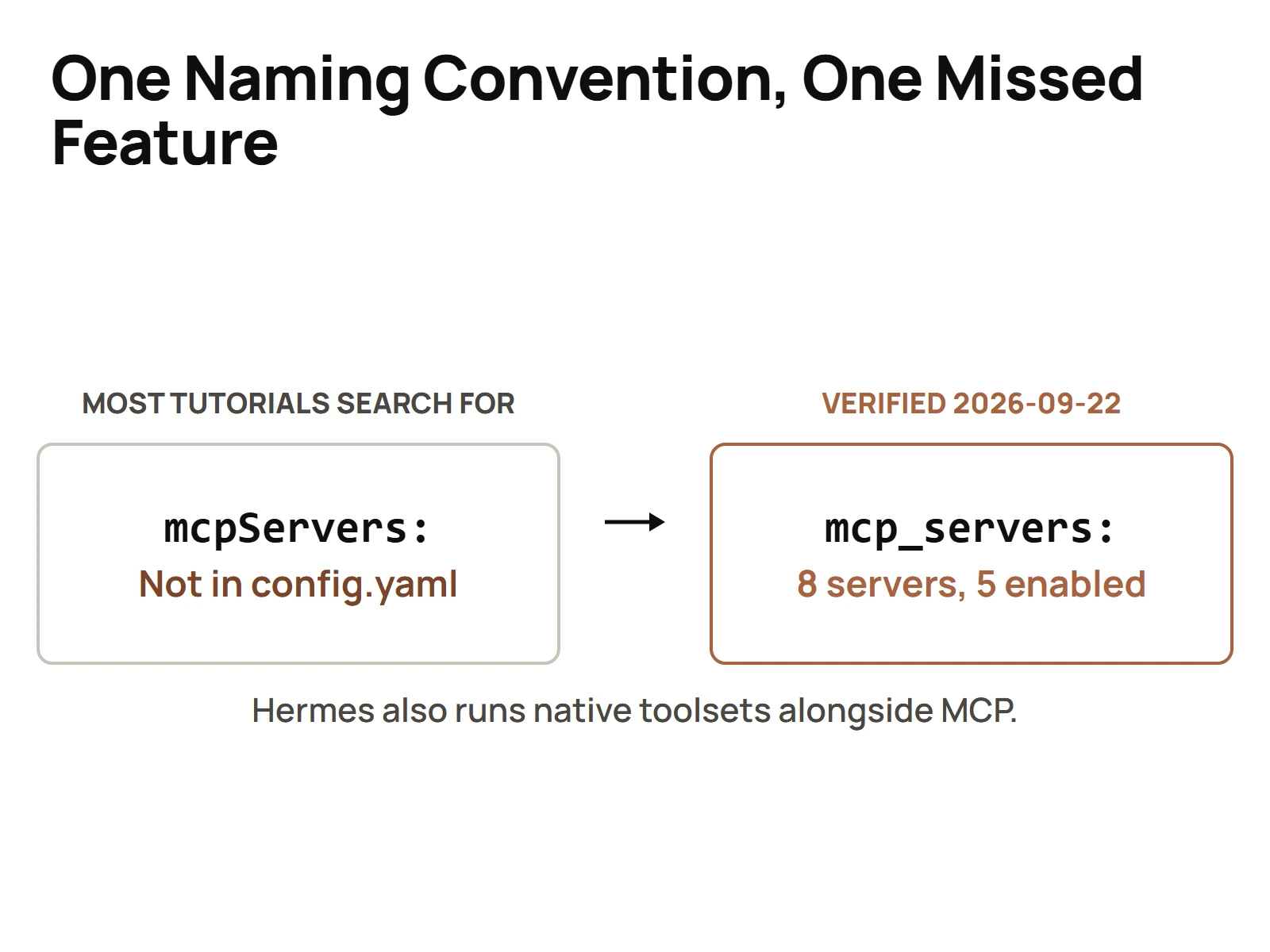
MCP server setup comes down to three moves: build or pick a server, run it locally or host it, then register it with your agent runtime. In a Hermes agent runtime that registration lives in config.yaml under a key spelled mcp_servers, snake_case. Look for the camelCase mcpServers block every other tutorial shows you and you'll conclude Hermes has no MCP support at all.
I know because that's exactly what happened in my own fleet.
The note is still sitting in my memory store. An investigation went into my Hermes config looking for an mcpServers block, didn't find one, and wrote down the conclusion: "Hermes uses its own native tool system, not MCP. There is no mcpServers block in Hermes config."
Half right. Hermes really does have its own native toolset system. It ALSO runs MCP. The block was there the whole time, just spelled a different way.
One naming convention was enough to produce a confident, wrong conclusion about a box I run every day. So this guide covers the full MCP server setup, including the part that actually bites people: the registration step.
What MCP is, and what changed on 2026-07-28
MCP is the Model Context Protocol. Anthropic introduced it in November 2024: the first spec revision is dated 2024-11-05, and the protocol was publicly announced and open-sourced on 2024-11-25. The idea is simple. One standard way for an AI agent to discover and call tools, read resources, and talk to outside systems, so every integration doesn't have to be hand-built for every client.
Here's the part most guides skip. On 2026-07-28, the MCP maintainers finalized the 2026-07-28 specification revision, and it's not fully backward compatible. According to the official MCP blog post for that revision, it shipped:
- a stateless protocol core, moving MCP from a bidirectional stateful protocol to request/response
- multi round-trip requests
- header-based routing
- cacheable list results
- authorization hardening
- a formal extensions framework
- updated Tier 1 SDKs
The detail that changes your setup: there's no negotiation handshake anymore. Every request declares its own protocol version in the io.modelcontextprotocol/protocolVersion key inside _meta. Over Streamable HTTP, that same value rides in the MCP-Protocol-Version header.
That matters for everything below. If a tutorial walks you through an initialization handshake and a long-lived session, it was written for the old model.
Why do I care this much about a protocol? Because my fleet doesn't live in one harness. Claude Code is the default in every terminal I open, Hermes hosts a primary assistant profile plus 37 agent profiles on my main box, and the same tools need to show up in both. Without a shared protocol, every tool gets built twice. With MCP, it gets built once and registered twice. That's the whole value, and it's a big one.
How is an MCP server set up?
An MCP server is set up in three steps: get a server (build one with an official SDK or use one someone already published), run it either as a local process or as a hosted endpoint, and register it in your client's config so the agent can see its tools. The registration step is where most setups quietly fail.
Here's the order I work in:
- Decide what the server exposes. A handful of focused tools beats one giant server that does everything.
- Decide where it runs. Local process on the same box as the agent, or a remote endpoint the agent reaches over the network.
- Register it in the client. Every client has its own config format. Claude Desktop and Claude Code use an
mcpServersblock. Hermes usesmcp_servers. Same idea, different spelling, and the spelling is the whole ballgame. - Restart the runtime and confirm the tools actually loaded. Don't assume. Check the tool list the agent reports.
Step 4 is the one people skip. A server that's defined but disabled, or defined under a key the runtime doesn't read, fails silently. No error. The tools just aren't there.
How do I build an MCP server?
You build an MCP server with one of the official SDKs: define the tools your server offers, give each one a clear name, description and input shape, then wire each tool to the code or API that does the real work. The 2026-07-28 revision updated the Tier 1 SDKs, so start from a current SDK release, not a code sample from last year.
A few things I care about when a server gets built for my fleet:
- Descriptions are prompts. The agent decides whether to call your tool based on the description. Vague description, wrong calls.
- One job per tool. Small tools compose. Giant multi-mode tools confuse the model.
- Build stateless from day one. Under the current spec, each request carries its own version and stands on its own. Don't design around a session the protocol no longer guarantees.
- Consolidate when the list gets long. My
merlino-sops-mcpserver is documented as "one MCP, 37 categories." One server, one registration, instead of dozens of tiny ones each eating a config entry.
And sometimes the right answer isn't to build an MCP server at all. My chaser-cli is documented as a pure REST CLI client: "bearer token in, JSON out; no MCP/OAuth/SDK." When plain REST does the job, I skip the protocol layer entirely. MCP is a good standard. It's not the answer to every integration.
Can I run my own MCP server?
Yes. You can run your own MCP server on your own machine or your own server, and most of mine run exactly that way. A self-hosted server is just a process your agent runtime launches or an endpoint it connects to. No vendor approval, no marketplace listing, nothing to request.
Early on, self-hosting was basically the only option. An Anthropic speaker in a talk saved in my library described it this way: before remote MCP support, you effectively had to run everything yourself, which kept providers like Asana from hosting their own servers that users could just connect to. Remote support is what turned MCP from local plumbing into an integration standard.
So today you have both. Run your own when the tool touches your private data or your own scripts. Connect to a vendor-hosted one when the vendor maintains it.
How do you host an MCP server?
You host an MCP server by running it behind a reachable endpoint that speaks Streamable HTTP, protecting that endpoint with proper authorization, and handing its URL to the client. Under the 2026-07-28 revision, a hosted server has to read the protocol version each request declares, carried in the MCP-Protocol-Version header, instead of settling it once in a handshake.
How I actually do it:
- Local servers stay local. Anything that reads files on my desktop runs as a local process the runtime starts.
- Shared servers live on a box the whole fleet can reach. My
seoutils-mcpis the CLI client and ops home for an SEO Utils MCP server hosted on a remote server. - Code travels by git, never copy-paste. Remote copies of my tools live on a remote server and a Mac under
~/tools/, cloned from each project's own repo. Push from the repo, pull on the remote.
The stateless core is actually good news for hosting. Request/response with no session to babysit is easier to put behind a load balancer and easier to cache. The new cacheable list results point the same direction.
Registering a server in Hermes: it's mcp_servers, not mcpServers
This is the section I wish I had read first.
Hermes keeps its configuration in config.yaml under its home directory. On my primary box that home is a dedicated data folder, set through the HERMES_HOME environment variable, and it holds the hermes-agent virtualenv, a primary assistant profile plus 37 agent profiles, auth, sessions and the gateways. One trap from my own migration: %LOCALAPPDATA%\hermes is a leftover from before the move. Nothing should point at it. If your Hermes seems to ignore your config edits, check that you're editing the file the runtime actually reads.
Now the key. I read my live config.yaml on 2026-09-22 and again on 2026-09-23. Here's what it holds, as of those dates:
| What is in the file | Detail |
|---|---|
| Native toolset keys | platform_toolsets, known_builtin_toolsets, known_plugin_toolsets |
| MCP block | mcp_servers:, snake_case, 71 lines |
| MCP servers defined | 8 |
| MCP servers switched off | 1 (screaming_frog carries enabled: false. Two more enabled: false lines sit under sampling:, not on a server) |
Eight servers. One switched off. On the same runtime my own notes once said had no MCP. That's how much a spelling difference can hide.
That count is time-sensitive, so treat it as a dated snapshot, not a spec. Servers get added, switched off and retired. The shape of the block is the part that stays useful.
The shape of an entry, using the field names from my live file with placeholder values:
mcp_servers:
  my-local-server:
    command: python
    args:
      - path/to/server.py
    enabled: true
    tools:
      exclude:
        - some_tool_you_do_not_want
  my-remote-server:
    url: https://example.com/mcp
    timeout: 60
    enabled: false
What to take from it:
- Local servers get a
commandandargs, plus anenvblock when the server needs credentials. Keep secrets in environment variables, not pasted into the file you might share. - Remote servers get a
url, andheadersif the endpoint needs them. enabledis your on/off switch. One of my eight is defined and switched off. They don't load, and nothing warns you.toolswithincludeorexcludetrims what a server exposes. Useful when a server ships forty tools and the agent needs four.
And when a server doesn't show up, here's the checklist I run, in this order:
- Right file? Confirm
HERMES_HOMEpoints at the home you're editing, not an old copy left behind by a migration. - Right key? The block must be
mcp_servers. A pastedmcpServersblock from a Claude tutorial is simply not what Hermes reads. - Enabled? Look for
enabled: falseon the entry. Defined and disabled looks exactly like missing. - Filtered? An
includelist that doesn't name the tool you want hides it on purpose. - Reachable? For a local server, the
commandhas to run on that machine. For a remote one, theurlhas to answer. - Restarted? Reload the runtime and read the tool list it reports. Trust that list, not the config.
Six checks. Most of the time it's number two or number three.
Want the memory side of this? Several of my MCP entries point at the memory layer every agent here writes to, because that's where most of my agents need to read and write.
Native toolsets and MCP servers side by side, and when each one wins
Hermes runs both, so the real question is which one a given capability belongs in.
Native toolsets win when:
- the capability ships with Hermes or a Hermes plugin already
- you want it managed through the runtime's own tool configuration, with no extra process to keep alive
- nothing outside Hermes will ever need it
MCP servers win when:
- the same tool needs to work in more than one client, say Hermes AND Claude Code
- a vendor already maintains an MCP server for their product
- the tool is yours and you want one implementation instead of one per runtime
That second list is why I care about MCP at all. My fleet doesn't live in one harness. When the same SOP server answers inside Hermes and inside Claude Code, I maintain it once. For how that looks on the other side of the fence, I wrote up the Claude Code side of MCP separately.
And once the server is wired in, the next job is keeping that Hermes agent reliable once it is live. Registration is day one. Staying up is every day after.
Why most MCP tutorials you'll find are now out of date
Two reasons, and they stack.
First, the protocol itself changed. Anything written before 2026-07-28 describes a stateful protocol with a negotiation handshake. The current spec has neither. Each request declares its own version, and Streamable HTTP carries it in the MCP-Protocol-Version header. A tutorial that never mentions that revision is teaching you the old model, and the revision isn't fully backward compatible.
Second, almost every tutorial is written from the Claude side. So they all show mcpServers. Take that into a runtime that spells it mcp_servers and you get what I got: a confident, wrong conclusion that the feature doesn't exist.
My rule now is simple. Before I decide a runtime can't do something, I read the runtime's own live config, not someone else's example. That one habit would have saved me a wrong conclusion. And it matters more every month, because my SOP server now answers inside Hermes and inside Claude Code from one implementation, and I only get that payoff if I trust each runtime's real config over the tutorial in front of me.
Setup isn't the hard part. Spelling is. Get the key right, check the enabled flag, confirm the tools loaded, and MCP in Hermes just works.
Questions people actually ask
- How is an MCP server set up?
- An MCP server is set up in three steps: get a server (build one with an official SDK or use one someone already published), run it either as a local process or as a hosted endpoint, and register it in your client's config so the agent can see its tools. The registration step is where most setups quietly fail.
- How do I build an MCP server?
- You build an MCP server with one of the official SDKs: define the tools your server offers, give each one a clear name, description and input shape, then wire each tool to the code or API that does the real work. The 2026-07-28 revision updated the Tier 1 SDKs, so start from a current SDK release, not a code sample from last year.
- Can I run my own MCP server?
- Yes. You can run your own MCP server on your own machine or your own server, and most of mine run exactly that way. A self-hosted server is just a process your agent runtime launches or an endpoint it connects to. No vendor approval, no marketplace listing, nothing to request.
- How do you host an MCP server?
- You host an MCP server by running it behind a reachable endpoint that speaks Streamable HTTP, protecting that endpoint with proper authorization, and handing its URL to the client. Under the 2026-07-28 revision, a hosted server has to read the protocol version each request declares, carried in the MCP-Protocol-Version header, instead of settling it once in a handshake.