

Claude Code MCP Integrations After the 2026 Protocol Break

Claude Code MCP integrations connect Claude Code to outside systems through the Model Context Protocol. You register a server, and its tools show up inside your session. The catch most guides miss: MCP's 2026-07-28 revision went stateless and dropped the handshake, so a setup guide written before it is already out of date.
I run MCP servers inside real agent workflows. I also have a documented case where I skipped MCP on purpose. Both halves are in here.
What MCP gives Claude Code that it does not have alone
MCP gives Claude Code a standard way to reach things outside your repo: a database, an SEO data service, a knowledge base, somebody else's product. Without it, Claude Code works on your files and your terminal. With it, a server exposes tools, and the agent can call them like any other tool.
In Claude Code's lineup of building blocks, that's MCP's specific job. Subagents are workers inside a session. Skills are reusable instructions. Hooks are the deterministic layer that fires on lifecycle events. MCP is the one that connects external systems.
Some history, because the dates matter for what comes next. Anthropic introduced MCP in November 2024. The first specification revision is dated 2024-11-05, and the protocol was announced and open-sourced on 2024-11-25.
What turned it from a neat trick into an integration standard was remote servers. An Anthropic speaker described the early days pretty plainly: you basically had to run every server yourself, which meant a provider like Asana couldn't host its own server that you could just connect to. Once vendors could host their own, the list of things you could plug in stopped being limited to what you were willing to run on your own box.
What changed on 2026-07-28, and why most guides you will find are stale
On 2026-07-28, MCP's maintainers finalized a new specification revision, the biggest change to the protocol so far, and it is not fully backward compatible. The protocol core went stateless.
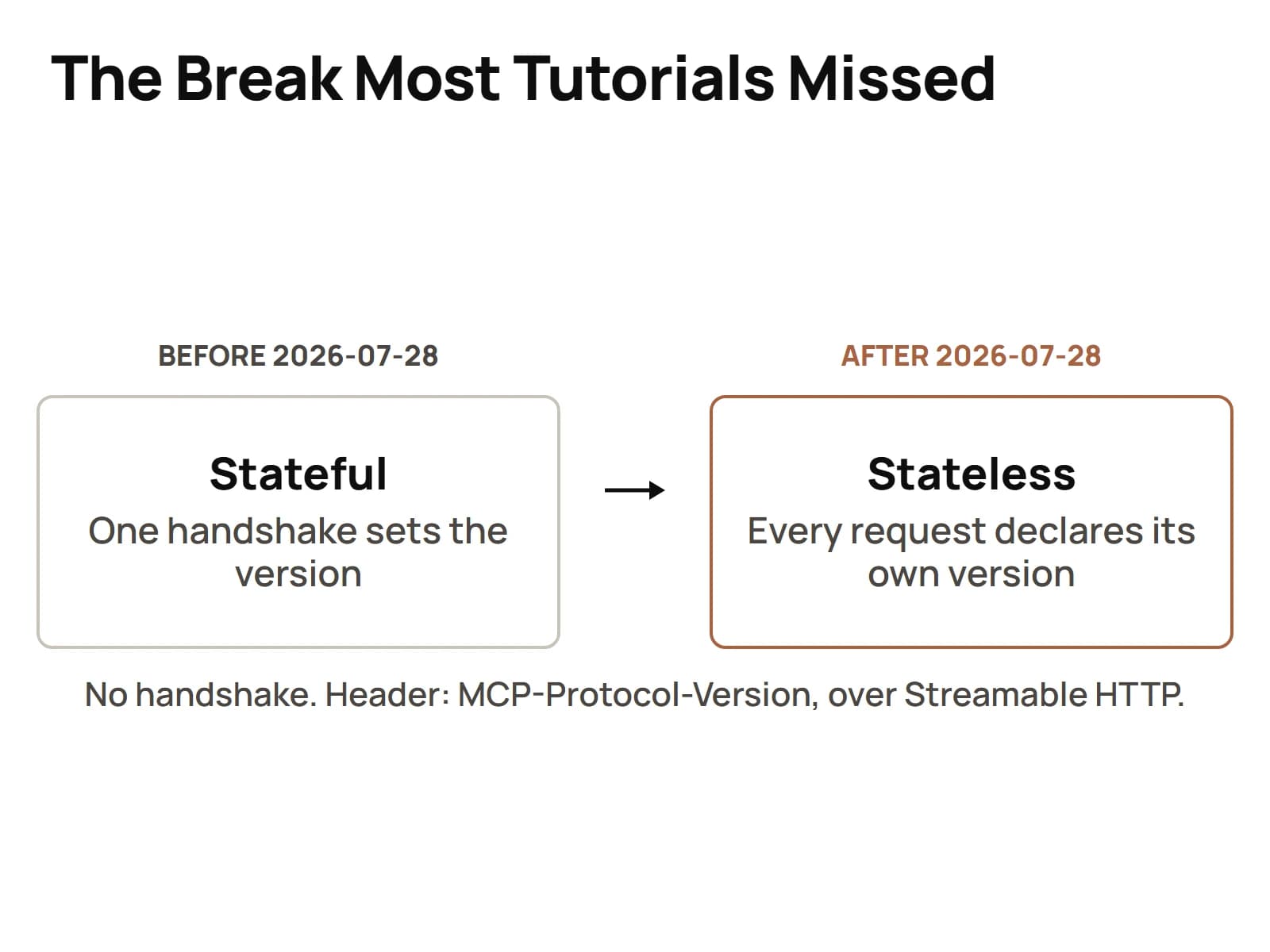
Here's what the official post lists:
- A stateless protocol core. MCP moves from a bidirectional stateful protocol to a stateless request and response one.
- Multi round-trip requests.
- Header-based routing.
- Cacheable list results.
- Authorization hardening.
- A formal extensions framework.
- Updated Tier 1 SDKs.
The Register covered it on 2026-07-23, a few days before it was finalized, so this wasn't a quiet change.
Now think about what that does to the search results. Every "how to set up an MCP server" tutorial ranking right now was written against the stateful model. Handshakes, sessions, negotiation. An article dated after July 28 that doesn't mention the break is already wrong. That's not me being dramatic, that's the calendar.
So when a guide's steps don't match what you're seeing, check its date first. It's probably not you.
Connecting your first MCP server, start to finish
You connect a server with claude mcp add, giving it a name and either a URL for a remote server or a command for a local one. Here's what the CLI's own help shows on my box, Claude Code 2.1.280:
# remote server over HTTP
claude mcp add --transport http my-server https://example.com/mcp

# remote server that needs an auth header
claude mcp add --transport http my-server https://example.com/mcp --header "Authorization: Bearer ..."

# local server launched as a command, with an env var
claude mcp add my-server -e API_KEY=xxx -- npx my-mcp-server
Start to finish, the flow I'd follow:
- Pick the transport. If you don't pass
--transport, it defaults to stdio, meaning a local process. For a remote server you'd passhttp, and the help also listssse. - Pick the scope.
-sor--scopetakes local, user or project. The default is local. More on that below. - Add it with one of the commands above.
- Check it with
claude mcp get my-server, which shows its details and health-checks it. - Use it in a session, and ask the agent to list the tools it sees from that server before you ask it to do anything real.
That fifth step saves you a lot of confusion. If the agent can't name the server's tools, it can't use them, no matter what the config says.
Declaring a protocol version now that the handshake is gone
Under the 2026-07-28 revision there's no negotiation handshake. Every single request declares its own protocol version instead.
Two places it shows up. Inside the request, the version sits in the io.modelcontextprotocol/protocolVersion key of _meta. Over Streamable HTTP, the same value rides in the MCP-Protocol-Version header, next to two other headers the revision now requires, Mcp-Method on every request and Mcp-Name on tool calls, resource reads and prompt gets:
MCP-Protocol-Version: 2026-07-28{
"_meta": {
"io.modelcontextprotocol/protocolVersion": "2026-07-28"
}
}What that means for you depends on which side you're on.
If you're only using servers, the practical question is whether each server you rely on has shipped support for the new revision. Check its release notes for the date. A server that still expects the old stateful dance and a client that doesn't do the dance anymore are going to have a bad time together.
If you're writing a server, build on one of the updated Tier 1 SDKs rather than hand-rolling the transport. Per-request versioning is exactly the kind of detail an SDK should own so you don't have to.
Scoping what a server is allowed to touch
A server can only hurt you with what you let it reach, so scope it tight from day one. Three controls do most of the work.
Configuration scope. local, user or project, set when you add the server. And a server that arrives through a repo's .mcp.json file shows as pending approval and doesn't connect until it's approved, per the CLI's own help. That's a good default. Somebody else's config shouldn't get to plug a server into your session without you saying yes.
Secrets by reference. Pass keys through environment variables with -e, never pasted into a config you commit. My own standing rule says secrets are referenced by environment variable name or vault location, never copied into instructions, logs, commits or chat. A leaked key isn't something git can roll back.
Permissions on the tools themselves. Each tool a server exposes arrives with a name, a description and a tool schema for its inputs. Read what a server exposes before you approve it. If a read-only reporting server ships a delete tool, that's a question worth asking before your agent finds it.
The revision's authorization hardening helps on the protocol side. It doesn't replace you deciding what gets connected in the first place.
The integrations that earn their place, and the one time I used plain REST instead
Here are the ones I actually run, straight from my own tools inventory:
seoutils-mcp, a CLI client plus the ops home for an SEO Utils MCP server hosted on a remote server.merlino-sops-mcp, one unified SOPs server. The description says it in four words: "one MCP, 37 categories." One server instead of dozens of little ones, and every agent gets the same SOP library through the same door.
And then there's chaser-cli, which is documented as a pure REST client: "bearer token in, JSON out; no MCP/OAuth/SDK."
That one's my favorite on the list, honestly. It's a written decision NOT to use MCP, because plain REST was enough for that job. Wrapping it in a protocol anyway would've been moving parts for nothing.
So here's my test. Reach for MCP when a server gives an agent a set of tools it'll pick between on its own, or when several agents and runtimes need the same integration. Reach for a plain CLI when the job is one call, one response. MCP is a good standard. It's not the answer to every integration, you know?
One ops habit that keeps all of this sane: remote copies of these tools live on my remote server and a Mac under ~/tools/, pulled with git clone, never copy-pasted. Push from the project's repo, pull on the remote. Every machine runs the same version.
Other runtimes handle MCP their own way. I wrote up a full MCP server setup for Hermes separately, because the config there doesn't look like Claude Code's.
Debugging a server that connects but does nothing
When a server connects and the agent still can't do anything with it, work down this list in order. It's cheapest first.
- Is it actually approved? A project server from
.mcp.jsonsits in pending approval and doesn't connect until you approve it.claude mcp get my-servertells you. - Does the transport match? No
--transportflag means stdio. A remote URL registered as stdio isn't going to work. - Is the env var there? A server missing its API key often starts fine and then fails every call.
- Is it on the right side of July 28? A stateful-era server and a stateless-era client can connect and still talk past each other. Check the server's release notes for the 2026-07-28 revision.
- Can the agent see the tools? Ask it to list them. If it can't, the problem is upstream of your prompt.
- Are the tool descriptions any good? A vague description is easy for an agent to pass over. If you own the server, sharpen it.
The first three are config problems, and config problems are the cheapest thing on earth to fix. Step four is the one I'd expect to bite more people this year, while servers catch up to the revision.
Going further: running your own server
Running your own server makes sense once you've got a system your agents need that nobody else has wrapped. Mine is the SOP library. Yours might be a client database, an internal tool or a reporting pipeline.
Before you build one, ask the REST question. If a small CLI does the job, build the CLI.
If it's a server, hold it to the same bar as any tool in my library. My build standard for tools is a README, a SKILL.md, a --help flag, a --json output mode, deterministic exit codes, no raw secrets in source, and a smoke test. That's seven checks, and every one of them applies to a server just as much as a CLI.
Build it on an updated Tier 1 SDK so the stateless revision is handled for you, scope its tools narrowly, and write descriptions an agent can actually route on. If you haven't got the rest of your environment dialed in yet, start with the core Claude Code setup first, then come back and plug your first server in. That's when this whole thing starts feeling like a real stack instead of a chat window.