

Claude Code Usage Limit: The Two Meters Nobody Explains

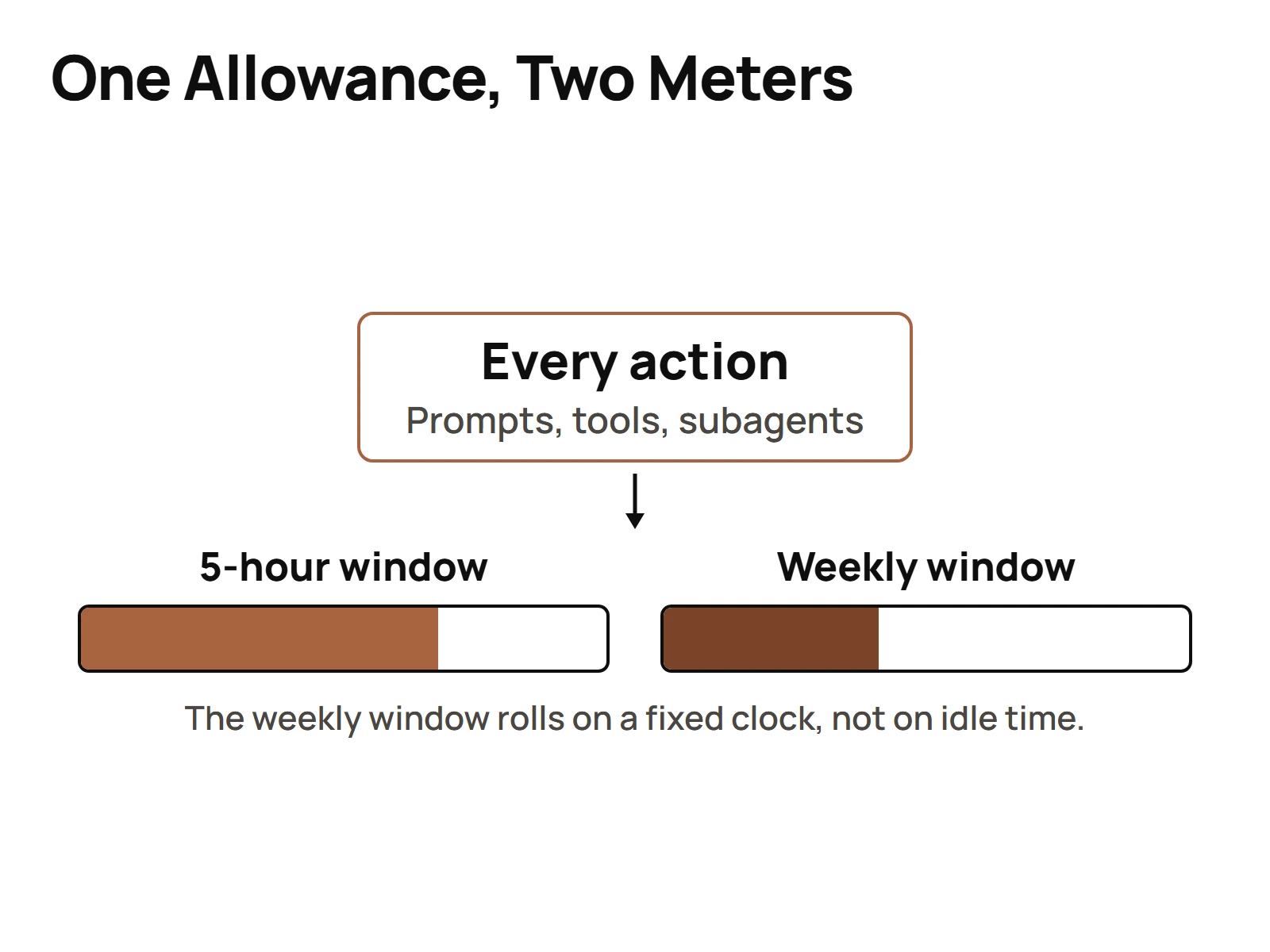
The Claude Code usage limit is two meters running at once: a session limit that resets every five hours, and a weekly limit across all models that resets at a fixed time on your account. Hit either one and you wait for that reset. Anthropic publishes no token number for any plan, so your own usage screen is the only real answer.
That last sentence is the one most rate-limit posts get wrong. They quote a hard number. There's no official hard number. So let me give you what's actually known, what to do when you hit the wall, and the habits that keep you from hitting it again.
Everything below is as of September 2026. Plans and limits have changed more than once, so check the date on anything you read about this, including this.
You hit the limit. Here's what to do in the next five minutes.
First, don't start guessing which rate limit you hit. Work through these in order:
- Read the exact message. Not every limit error is the Claude Code plan limit. My own logs have an error that reads "You have reached your specified API usage limits" with a regain-access date at the start of the next month. That's a billing-period spend cap on the API side, not the five-hour window. In one session that same wording got traced back to a third-party tool's free-trial cap, not Anthropic at all. And a separate 429 in my logs was a memory service over its own quota. Three "limit" errors, three different meters.
- Check your real meter. In Claude Code, run
/usage, or open Settings, then Usage, on claude.ai. That screen is the only authoritative view of what you have left. Not a blog, not a Reddit thread, not a calculator. - Figure out which meter tripped. If you're blocked inside a five-hour window, you wait for that window. If the weekly cap tripped, a new five-hour window won't save you. The weekly limit resets at a fixed time assigned to your account. My own records show a weekly reset landing at 10am Eastern, same hour on the clock, not a rolling time.
- Save your state before anything else. Write down where the session was, what's done, what's next. I use a handoff skill for this so the next session, or another tool, picks up exactly there. A limit costs you time. Losing the context costs you more.
- Decide: wait, or move the work. Some work can wait for the reset. Some can move to a different tool or lane you already run. That's a routing decision, and I come back to it at the end.
What I'd NOT do in those five minutes: switch models expecting the meter to reset. The sources I trust say all models draw on the shared weekly meter, which argues against that trick. I couldn't confirm it works anywhere authoritative, so I'm not telling you it does.
Does the Claude code have a 5 hour limit?
Yes. Every paid Claude plan meters Claude Code on a session limit that resets every five hours. It runs alongside a weekly limit across all models, so the five-hour window is only half the picture.
The part people miss is that both meters run at the same time. You can be sitting inside a fresh five-hour window, with plenty of session room, and still be blocked because the weekly cap is spent. So when someone says "it resets in five hours, just wait," that's only true if the five-hour meter is the one that tripped.
Here's the structure in one table:
| Meter | Resets | What it blocks |
|---|---|---|
| Session limit | Every five hours | Use inside that window |
| Weekly limit | Fixed time set on your account | All use across all models until reset |
Two meters. One of them is always the tighter one, and it's not always the one you think.
What happens if Claude Code hits limit?
When Claude Code hits the limit, you're blocked until the meter that tripped resets. If it was the five-hour session limit, that's the next window. If it was the weekly limit, that's your account's weekly reset time, which can be days away.
Plan for the work to stop. That's why the save-your-state step above matters so much. A session that dies mid-task, with nothing written down, means the next session burns fresh allowance just to get back to where you were.
That's the sneaky cost of hitting the wall. It's not only the wait. It's the re-orientation afterward, which spends from the same allowance you just ran out of.
Is there a limit to how much you can use the Claude code?
Yes, on every plan. As of September 2026 the paid tiers are:
| Plan | Price | Described as |
|---|---|---|
| Pro | $20 a month | At least 5x Free per five-hour session |
| Max 5x | $100 a month | 5x Pro |
| Max 20x | $200 a month | 20x Pro |
Those multipliers are the vendor's own framing, repeated by third parties. They aren't a metered guarantee. And Anthropic publishes no token count for Pro or for any other plan. None.
So any post that tells you "you get N tokens per five hours" or "you get N messages" is inventing it, or extrapolating from one person's session. I've seen message counts quoted in videos in my own library with the source being, literally, "according to Perplexity." That's not a number I'd plan a workday around, and you should not either.
One more thing on this. You may have read that weekly limits are boosted 50% on all paid plans. That promotion ran from May 13 until 11:59 PM PT on September 13, 2026, after Anthropic extended it several times. It's over. Since September 14, Anthropic has permanently raised the standard weekly Claude Code limit by 25% for Pro, Max, Team and seat-based Enterprise plans, which is still about 17% less than the boosted level. If a post is still selling it as a live benefit, the post is out of date.
Why is the Claude code usage limit so low?
It feels low because everything draws from one allowance. Every prompt, every tool call, every file read and every thinking block spends from the same meter. There's no separate budget for "reading files" versus "writing code."
That changes how you should think about a session. A session that reads 40 files to orient itself has spent real allowance before it writes a single edit. Nothing looks like it happened. The meter still moved.
Two other things make it feel tighter than it is:
- The promotion ended. If you got used to the boosted weekly limits that ran until September 13, 2026, the new level will feel like a squeeze. The permanent raise that started September 14 is 25% over the old base, which works out to about 17% less than the boosted weekly limit you had all summer.
- Flat-rate plans make you stop counting. This one is honest self-criticism. On one of our own calls somebody on the team put it straight: "We don't really care about tokens. Let's be honest. We're not paying for them." On a flat-rate Max plan, tokens stop feeling like money. But they still spend the allowance. You stop watching the thing that actually runs out.
That second point is the real answer to "why so low." Most of the time the limit isn't low. The usage is loose.
The four habits that burn a window fastest
These come from how the meter works, not from folklore. Each one spends allowance without producing much.
- Re-orienting from scratch. Opening a session and letting the agent read half the repo to figure out where it is. Every read is spend. A short written handoff at the end of the last session replaces most of that orientation, and it costs almost nothing to write.
- One giant session that never ends. The longer a session runs, the more context rides along with every turn. That context isn't free. Break work into sessions with clear stopping points and a handoff between them.
- Doing the fan-out in the main session. If you ask your main session to go read 30 files, compare them and report back, all of that output lands in the main context and stays there. A subagent runs in its own context window, so its file reads and tool output don't land in the parent. The parent gets the conclusion. That's the whole point of subagents, and it's what makes fan-out affordable.
- Running a pile of agents on one allowance without caching. A fleet multiplies everything. The same system prompt and tool schema get sent again and again. If none of that's cached, you pay full price for the same context on every call.
Fix those four and the limit stops being a daily event. It goes back to being an edge case.
Prompt caching, and what it actually saves
Prompt caching is the single biggest lever on repeated context, and it acts on exactly the thing that burns allowance: the same large prompt getting sent over and over. I teach this in a real curriculum, and the session agenda opens with it. Enable prompt caching, enable context pruning, then everything else. That's what I actually teach on token spend, in that order.
The mechanics I track, because "turn caching on" means nothing until you know the numbers:
| Mechanic | What it means for you |
|---|---|
| 1-hour TTL option | Costs 2x the normal cache write |
| Token floor, Fable, Mythos 5 and Opus 5 or 5.5 | 512 tokens before a prompt will cache |
| Token floor, Opus 4.8 and Sonnet 5 | 1,024 tokens |
| Token floor, Haiku 4.5 | 4,096 tokens |
| Proof of a hit | The cache_read_input_tokens field in the usage response |
Two things in that table matter most.
First, the floors. If your system prompt or tool schema is under the floor for your model, it won't cache at all. You're paying the write premium on a cache that never gets read.
Second, the proof. I don't assume a hit happened because I flipped a switch. I check cache_read_input_tokens. If it's zero on a request that should have hit, something upstream moved: a prompt that changed by one token, a session boundary, a TTL that ran out. "On" and "working" are two different things.
And the real limit of caching: it only pays on repeated context. Cache something you use once and you pay MORE, not less, because of the write premium. The savings live in reuse, which describes most agent fleets most of the time. If you want to go deeper, I broke down the caching mechanics behind that in its own piece.
When the fix is orchestration, not a bigger plan
Sometimes the answer really is a bigger plan. But before you jump from Pro to Max 5x or from Max 5x to Max 20x, check whether the problem is how the work is routed.
A few patterns that cut limit hits without spending more:
- Route by task, not by habit. My documented rule for worker agents: Opus for complex reasoning, architecture, strategy and security. Sonnet for standard analysis, content writing and routine tasks. Haiku for simple lookups, extraction, formatting and one-off transforms. A formatting job doesn't need the most expensive model in the building.
- Push fan-out into subagents so the main session carries conclusions, not raw file dumps.
- Write handoffs so no session starts cold.
- Layer tools instead of forcing one. If a second tool you already run can take a chunk of the work, that chunk isn't spending your Claude allowance.
This is where orchestration patterns that reduce redundant calls pay off. When a plan lane, an execute lane and a check lane each have a clear job, you stop re-doing work and stop re-reading context nobody needed.
And the same reliability problem shows up in Hermes, and in any agent runtime. A lane runs out, auth expires, a provider starts refusing calls, and the question becomes whether the system notices and routes around it or just stops. Limits aren't only a plan question. They are a system design question.
If you do end up comparing plans, compare them on the right question. Not "how many tokens do I get," because nobody can tell you that. Ask this instead:
| If this is true for you | Look at |
|---|---|
| You hit the five-hour wall a few times a week and the weekly cap never | Habits and caching first, then Max 5x |
| You hit the weekly cap before the week ends | Routing and subagents first, then Max 20x |
| You run several agents in parallel on one account | Caching, handoffs and routing, before any upgrade |
| You mostly hit an API spend error, not the plan meter | Your Console spend limit, not your plan |
That last row catches more people than you'd think. The API side and the plan side are different meters with different fixes. Upgrading your Max plan does nothing for a spend cap somebody set on an API workspace months ago.
So when you hit the wall, do the five-minute routine. Then fix the habits. Then look at the routing. Only then look at the pricing page.
Questions people actually ask
- Does the Claude code have a 5 hour limit?
- Yes. Every paid Claude plan meters Claude Code on a session limit that resets every five hours. It runs at the same time as a weekly limit across all models, so you can be inside a fresh five-hour window and still be blocked if the weekly cap is already spent.
- Is there a limit to how much you can use the Claude code?
- Yes, on every plan. As of September 2026, Pro is $20 a month, Max 5x is $100 and Max 20x is $200, each with a five-hour and a weekly meter. Anthropic publishes no token count for any plan, so `/usage` in Claude Code, or Settings, then Usage, on claude.ai, is the only authoritative view of what you have left.
- What happens if Claude Code hits limit?
- You're blocked until the meter that tripped resets: the next five-hour window for the session limit, or your account's fixed weekly reset time for the weekly limit. Save your session state first, because re-orienting a new session afterward spends from the same allowance you just ran out of.
- Why is the Claude code usage limit so low?
- Everything draws from one allowance: every prompt, tool call, file read and thinking block. A session that reads dozens of files to orient itself spends real allowance before any edit. The 50% weekly boost also ended on September 13, 2026, and the permanent 25% raise that replaced it's still about 17% below the boosted level. Flat-rate plans also make it easy to stop watching usage.